What Is a Customized QR Code with Brand Logo?
Imagine you print thousands of flyers, packaging labels, or business cards with a plain black-and-white QR code. People scan it, but they do not remember your brand. Now imagine the same QR code with your brand logo placed perfectly in the center. It looks professional, trustworthy, and instantly recognizable.
A Customized QR code with brand logo is a QR code that includes your company logo within the design, usually placed in the center. It functions like any other QR code but visually represents your brand at the same time. By adding your logo, you turn a technical tool into a branding asset. It communicates professionalism and reduces hesitation before scanning. Instead of looking like a random digital pattern, it becomes a branded gateway to your business.
In 2026, branding is everything. A simple black-and-white QR code works., but a branded QR code builds identity. When someone scans a QR code that clearly carries your logo, it creates familiarity and trust. Whether you run a small local business or a global ecommerce brand, learning how to create a QR code with your brand logo is a smart digital move.
Why Customized QR Code Matters in Modern Marketing
Marketing today is about instant access and instant trust. People don’t want to type long URLs, search manually, or guess where a link might lead. They want quick, secure, and recognizable interactions. That is exactly where a QR code with brand logo becomes powerful.
Platforms like Canva and Adobe Illustrator allow you to design QR codes with embedded logos and custom styling. When customers see your logo inside the QR code, they feel more confident scanning it. In a world where QR scams are increasing, branding adds authenticity. A QR code with brand logo helps in marketing campaigns, packaging, restaurant menus, business cards, events, and digital promotions. It turns a functional tool into a branding asset.
When your logo appears inside a Customized QR code, it strengthens brand memory. Even before scanning, users associate the code with your business. People are more likely to scan a QR code that looks official and aligned with a brand they recognize. Trust plays a huge role in digital interaction. A customized QR code feels safer than a generic one. Branded QR codes bridge the gap between physical marketing materials and digital platforms, making transitions seamless.
Restaurants use branded QR codes for digital menus. Ecommerce brands print them on packaging for repeat purchases. Event organizers use them for ticket verification and feedback forms. Freelancers add them to business cards linking to portfolios. Retail brands use branded QR codes on packaging to provide tutorials and product information. Educational institutions use them for digital resources and attendance tracking. No matter your industry, a QR code with brand logo can enhance customer interaction.
The Evolution of Customized QR Codes in Business
QR codes were originally developed by Denso Wave in 1994 to track automotive parts efficiently. Over time, the technology evolved into a global marketing and payment solution. Initially, QR codes were used mainly in manufacturing and logistics. However, as smartphones became widespread, businesses began using them for payments, digital menus, app downloads, and marketing campaigns.
During recent global digital shifts, QR codes became mainstream across industries. Companies like PayPal and Amazon integrated QR systems into their services, reinforcing their credibility and convenience. Today, branded QR codes represent the next stage of evolution. They combine design, data tracking, and brand identity in one compact square.
Static vs Dynamic QR Code: Which One Is Better?
Before creating your branded QR code, you must understand the difference between static and dynamic QR codes.
A static QR code stores fixed information. Once created, you cannot change the destination link. It is ideal for permanent URLs such as your homepage or contact page. Static QR codes are ideal for simple, long-term usage where changes are not expected.
A dynamic QR code allows you to edit the destination link even after printing. It also provides analytics like scan count, location, and device type. If you are running marketing campaigns, affiliate links and product promotions where flexibility and tracking are important., dynamic QR codes are a smarter choice. Dynamic QR codes are perfect for
For branding purposes, both static and dynamic QR codes can include logos. However, dynamic QR codes are better for long-term strategy and tracking performance.
How to Create a Customized QR Code with Brand Logo (Step-by-Step Guide)
Actually, there are many websites available for creating QR codes and customizing them. You can use free or paid tools. Some popular options include Canva for beginners, Adobe Photoshop for advanced design customization, and QR Code Generator for dedicated QR creation and tracking. If you are a beginner, Canva is simple and beginner-friendly. If you want full control over design, Illustrator or Photoshop is better.
- Step 1: Choose the Right QR Code Generator
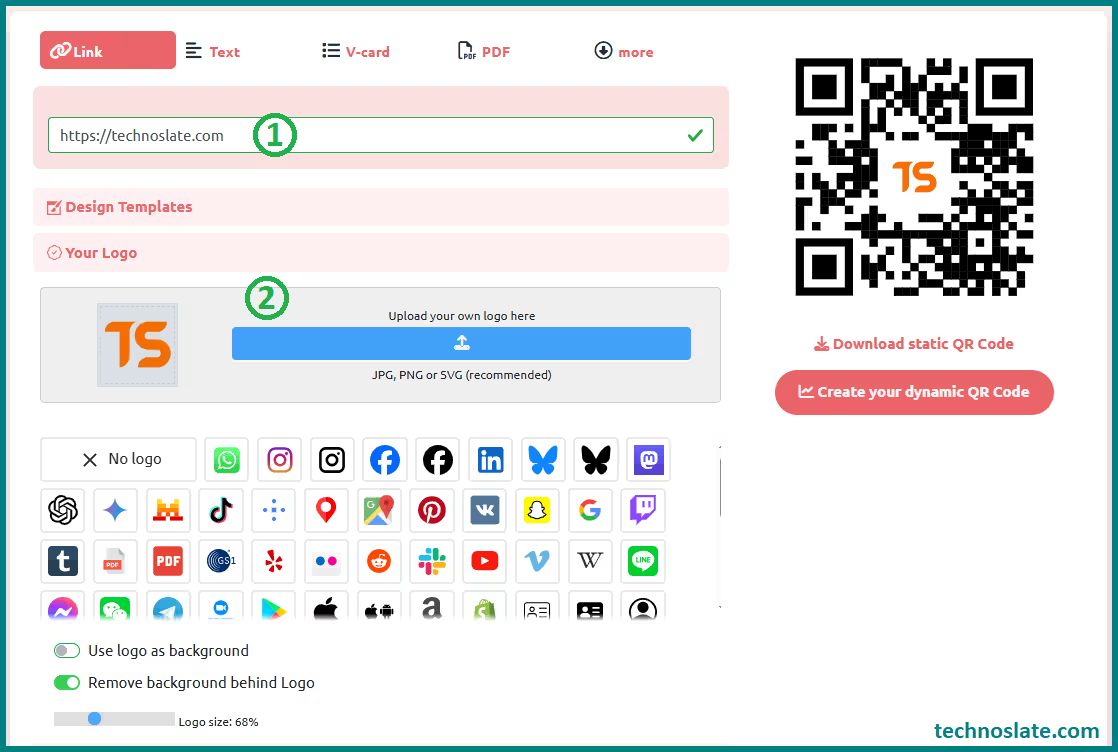
- Here we’re going to use a website called QR Planet. This website offers many more options for creating and customizing your QR code. You can use the options in a variety of ways to create a beautifully customized QR code. There are also ready-made QR code templates for different purposes. You can also choose different QR code colors and frames. Go to the website and enter the details you want users to visit.
- Step 2: Enter Your Destination URL or Content
- Decide where you want users to go. It can be your website, social media profile, Google review page, digital menu, YouTube video links, Instagram handle link, WhatsApp, location (office/showroom/shop address), payment link or anything else. Always double-check the link before generating the QR code.
- Decide where you want users to go. It can be your website, social media profile, Google review page, digital menu, YouTube video links, Instagram handle link, WhatsApp, location (office/showroom/shop address), payment link or anything else. Always double-check the link before generating the QR code.
- Step 3: Add Your Brand Logo to the Center
- Upload your brand logo in PNG format with transparent background. Position it in the center. Make sure the logo does not cover too much area. Usually, the logo should not exceed 25 to 30 percent of the total QR code area. Most QR codes use error correction technology, which allows part of the code to be covered without affecting scanability. Select a high error correction level when adding a logo.
- Upload your brand logo in PNG format with transparent background. Position it in the center. Make sure the logo does not cover too much area. Usually, the logo should not exceed 25 to 30 percent of the total QR code area. Most QR codes use error correction technology, which allows part of the code to be covered without affecting scanability. Select a high error correction level when adding a logo.
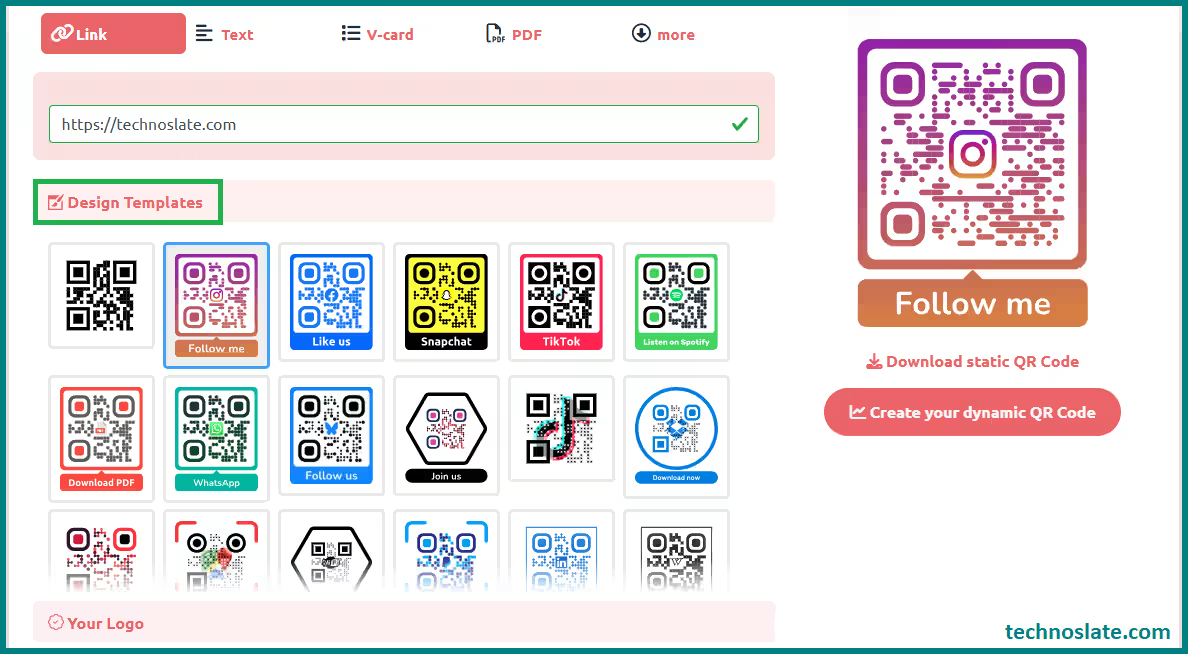
- Step 4: Select from Ready-Made Templates
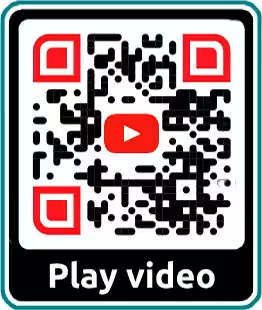
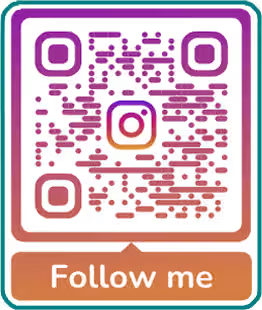
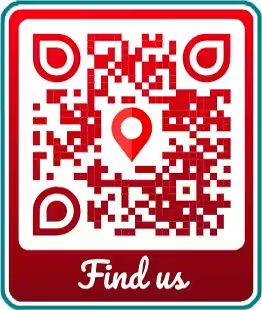
- This website has many ready-made templates for different purposes, such as WhatsApp, YouTube video/channel links, Snapchat, Instagram, Follow Us, Spotify, and more. You can easily create a QR code without any hassle.
- This website has many ready-made templates for different purposes, such as WhatsApp, YouTube video/channel links, Snapchat, Instagram, Follow Us, Spotify, and more. You can easily create a QR code without any hassle.
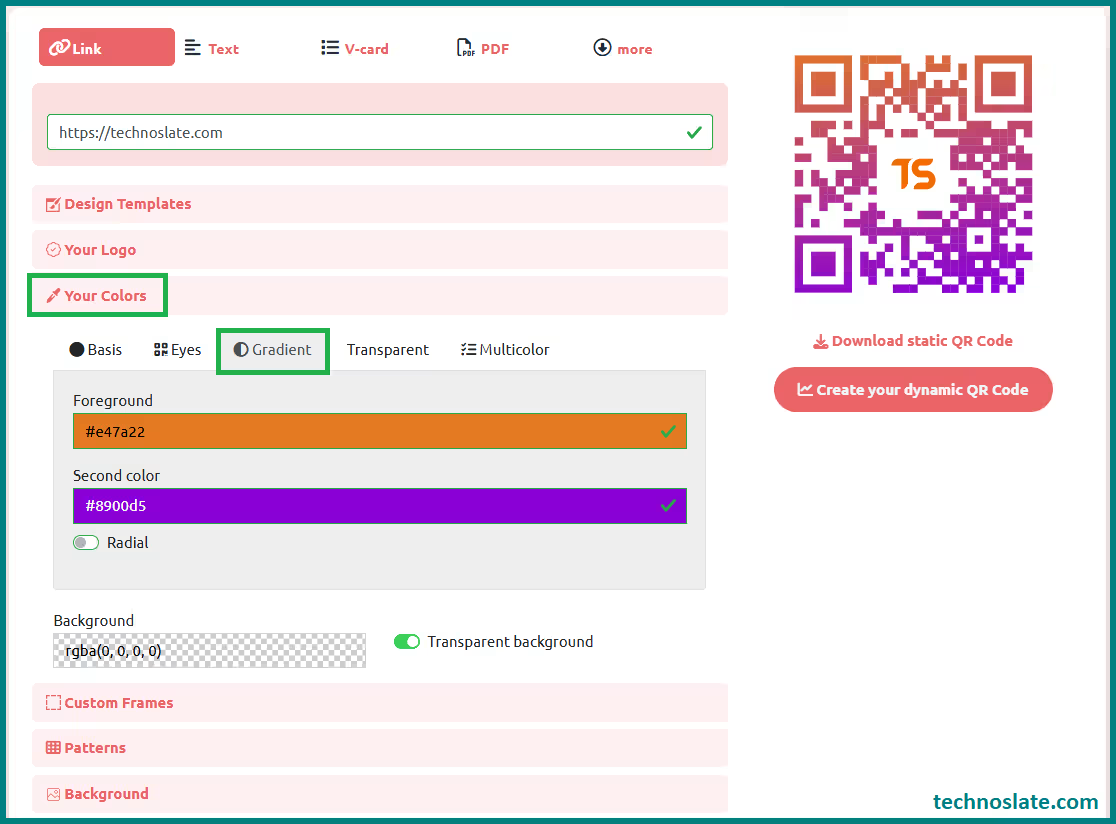
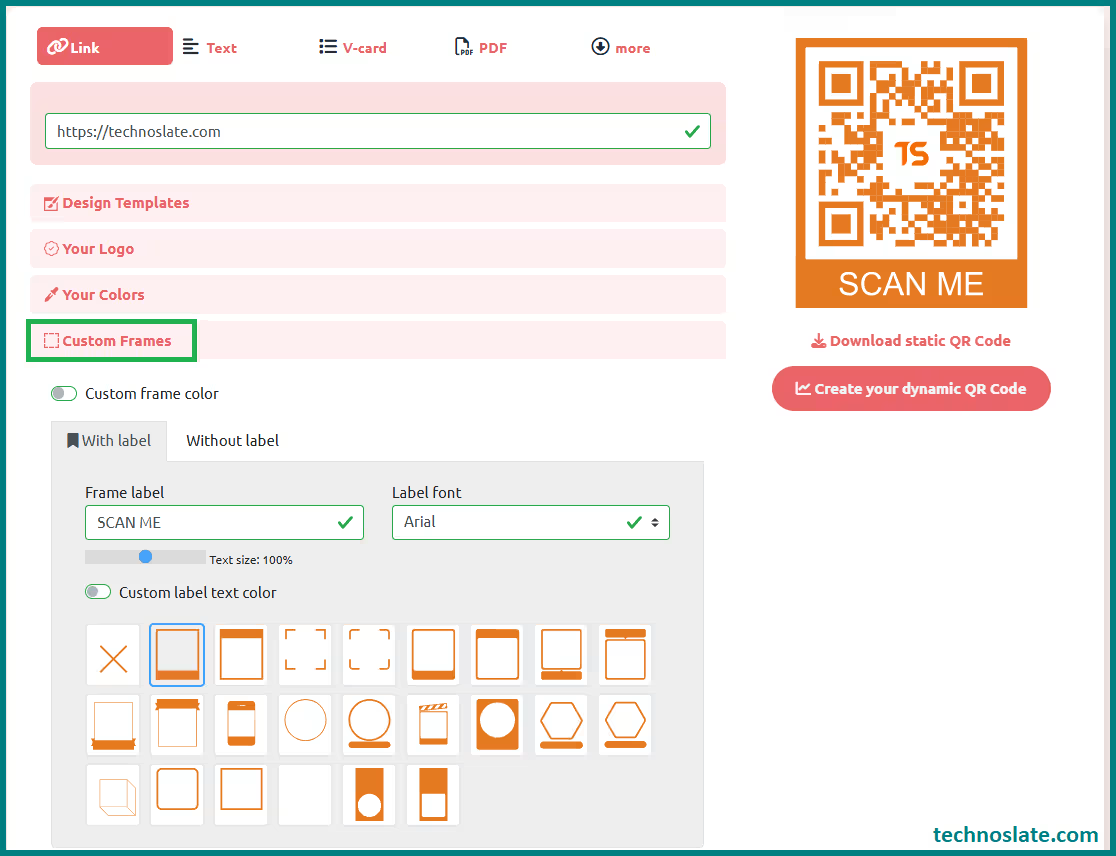
- Step 5: Customize the QR Code Design
- Now comes the branding part. Most tools allow you to change colors, shape of the corners, and pattern style. Choose colors that match your brand identity. Make sure there is strong contrast between foreground and background. For example, dark blue on white works better than light gray on white.
- Now comes the branding part. Most tools allow you to change colors, shape of the corners, and pattern style. Choose colors that match your brand identity. Make sure there is strong contrast between foreground and background. For example, dark blue on white works better than light gray on white.
- Step 6: Test the QR Code Multiple Times
- This step is critical. Scan the QR code using different devices, including Android and iPhone. Print a small version and test again. Sometimes QR codes work digitally but fail in print due to size or contrast issues.
- Step 7: Download in High Resolution
- Download the QR code in high resolution format like PNG, SVG, or PDF. If you plan to print large banners, choose SVG or vector format to avoid pixelation.
Design Guidelines for a Perfect and Customized QR Code
- Always maintain strong contrast. Dark foreground and light background combinations scan best.
- Avoid over-designing. A stylish and customized QR code is good, but readability is more important.
- Keep sufficient white space around the QR code. Keep it balanced and centered without overwhelming the pattern. This area is called quiet zone and helps scanning.
- Do not invert colors unless you test thoroughly.
- If you plan to print your QR code, ensure it is large enough to scan easily. Blurry or overly small prints reduce effectiveness. Ensure the minimum print size is at least 2 x 2 cm for physical materials.
- Higher error correction ensures the QR code remains functional even if part of it is covered or slightly damaged.
Important Things to Keep in Mind Before Printing
- Always test before mass printing.
- Use high-quality printing material.
- Avoid glossy surfaces that reflect light.
- Check how the QR code looks in both daylight and indoor lighting.
- Keep mobile users in mind. The landing page must be mobile optimized.
Common Mistakes to Avoid While Designing Customized QR Codes
- Many people choose light colors that are difficult to scan. Many businesses make avoidable mistakes such as using low-resolution downloads, choosing poor color combinations, or making logos too large.
- Some forget to test the QR code after adding the logo.
- Others upload low-resolution logos, making the design look unprofessional.
- Some users generate static QR codes for marketing campaigns and later regret not having tracking features.
- Avoiding these mistakes saves time and money.
- Another common issue is neglecting mobile optimization. If the landing page loads slowly, users may exit before converting.
- Always test thoroughly and ensure the entire user journey, not just the QR code, is optimized.
Disadvantages and Limitations You Should Know
- If you make the logo too large, the customized QR code may stop working.
- Over-customization can reduce scanning speed.
- Some free tools add watermarks or limit resolution.
- Dynamic QR codes often require paid subscriptions.
- Printing errors or low contrast may cause scan failures.
- Understanding these limitations helps you avoid costly mistakes.
Tracking and Analytics: Measuring Customized QR Code Performance
If you use dynamic QR platforms, you can monitor scan count, device type, time of scan, and location data. This helps you understand which marketing channel performs best. For example, you may discover that packaging QR codes generate more traffic than flyers. Data-driven decisions improve ROI.
This insight allows you to improve campaigns, test different placements, and refine your conversion strategy. For global businesses, this information is extremely valuable in understanding audience behavior.
Other Sources to Create QR Codes with Brand Logo
QRCodeTechy – Free QR Code Generator with Logo Support
This tool lets you enter any content such as a website link, UPI payment details, plain text, location/address, contact information, and more. After entering the content, you can upload your brand logo and customize the QR code’s style and colors. It supports various QR types like URL, payment (including UPI), vCard, Wi-Fi, and location, and it generates the code instantly with logo integration.
QR Code Monkey – Custom QR Codes with Brand Logo
This is one of the most popular free QR code generators available online. You can select the type of content (website link, text, email, etc.), enter the details you want encoded, upload your brand logo, adjust the colors and resolution, and generate a high-quality QR code with your logo in the center. It also allows downloading in different formats including PNG, SVG, and PDF.
Both of these websites are free to use and do not require registration to create a QR code with your brand logo. They are ideal for business cards, payment codes, website links, location addresses, and many other use cases.
Frequently Asked Questions (FAQ)
- Can I add animation to my customized QR code with brand logo?
- Yes, some advanced design platforms allow animated QR codes for digital use. However, animated QR codes are not suitable for print materials and may reduce compatibility with older devices.
- Is it safe to use free QR code generators?
- Many free tools are safe, but always check reviews and privacy policies. Avoid QR code generators that do not use secure HTTPS encryption.
- How long does a QR code with brand logo last?
- A static QR code lasts forever as long as the URL remains active. A dynamic QR code lasts as long as your subscription remains active.
- Can I change my logo after creating the QR code?
- If you used a dynamic QR platform that allows design editing, you can update the logo. For static QR codes, you must generate a new one.
- Does adding a logo slow down scanning speed?
- If the logo size is reasonable and error correction is set properly, scanning speed is usually unaffected.
- Can I create a customized QR code with brand logo for social media only?
- Yes, you can generate QR codes that link directly to platforms like Instagram, LinkedIn, or YouTube and customize them with your brand logo for better recognition.
- Is it possible to customize the shape of a QR code beyond adding a logo?
- Yes, many advanced QR platforms allow modifications in corner styles and pattern shapes while maintaining scannability.
- Do QR codes require an internet connection to work?
- The scanning device typically needs internet access to open online links, although QR codes containing plain text can display information without connectivity.
- Can I use multiple QR codes for different campaigns on the same website?
- Yes, businesses often create separate dynamic QR codes for each campaign to track performance individually.
- Are QR codes suitable for email marketing campaigns?
- Yes, they can be embedded in newsletters to provide quick access to landing pages or promotional offers.
- Do branded QR codes affect loading speed of a webpage?
- The customized QR code itself does not impact speed, but the linked webpage’s hosting and optimization determine performance.
Conclusion: Turn a Simple QR Code into a Branding Power Tool
Creating a customized QR code with your brand logo is not just about design. It is about identity, trust, and marketing performance. A simple black and white QR code does the job. But a branded and customized QR code tells a story. It represents your business. It builds credibility. It increases engagement. If you follow the steps in this guide, test carefully, and focus on design clarity, you can create a professional branded QR code that works globally and appeals to both casual users and serious customers. In 2026, smart brands do not use generic tools. They create branded experiences. Your customized QR code should be one of them.
A QR code may look small, but it carries powerful marketing potential. When you add your brand logo thoughtfully, it becomes more than a tool. It becomes a bridge between your offline and online world. Take your time, design carefully, test properly, and let your branded and customized QR code represent your identity with confidence.
I hope this post can helps you to create customized QR code with brand logo. If you found this post helpful, please share this post with your friends and family. If you have any question in your mind or you are facing any problem then feel free to ask your question in the comment section. We will try our best to help you. You can read more such interesting articles here.