Every time you open a new website, there’s a good chance you’ll see a cookie consent banner asking you to Accept All, Reject All, or manage your privacy preferences. Cookie consent banners have become a part of everyday browsing. Whether you’re reading the news, shopping online, or visiting a new website, you’re often asked to accept or manage cookies before you can continue. While each popup takes only a few seconds, dealing with the same choice repeatedly can quickly become frustrating.
That’s where Consent-O-Matic comes in. It’s a browser extension designed to automate cookie consent decisions based on your chosen privacy preferences, helping you spend less time interacting with popups and more time focusing on the content you actually want to access. In this article, you’ll learn how Consent-O-Matic works, what makes it useful, where it falls short, and whether it’s the right privacy tool for your browsing habits.
Why Do Cookie Popups Appear on Almost Every Website?
Over the last few years, privacy regulations in many regions have required websites to be more transparent about how they collect and use user data. Instead of silently placing certain types of cookies on your device, many websites now ask for your consent first.
Cookies themselves are not always a bad thing. Some are necessary to keep a website working properly, such as remembering your login session or keeping items in your shopping cart. Others are used for analytics, advertising, or tracking your activity across different websites. Since these cookies serve different purposes, many websites give visitors the option to decide which ones they want to allow.
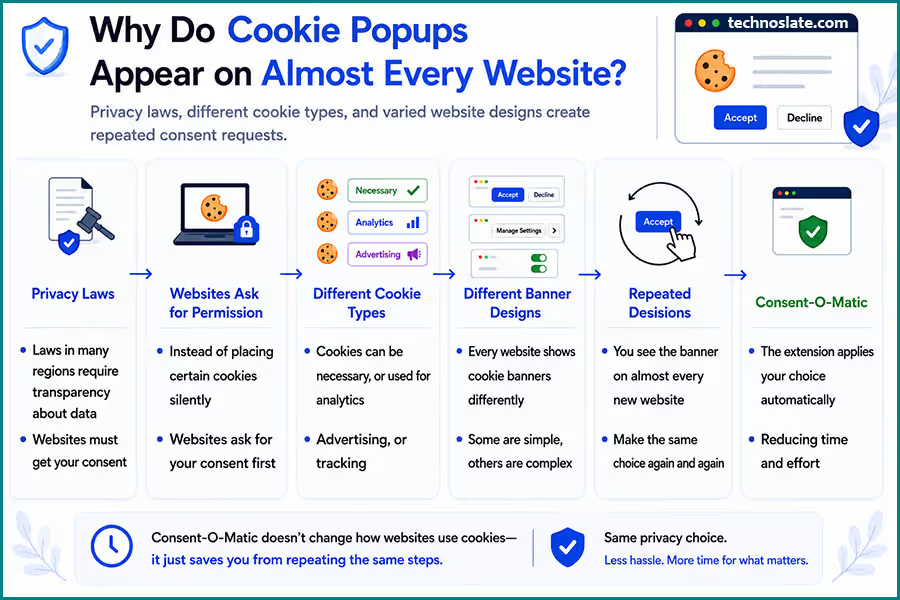
While this approach gives users more control over their privacy, it also creates a new problem. The consent banner appears almost every time you visit a new website, and the process often feels repetitive. Whether you choose to accept everything or review the settings carefully, you’re still making the same type of decision again and again.
The experience becomes even more frustrating because there isn’t a single standard design for cookie banners. One website may show a simple “Accept” and “Reject” button, while another hides the privacy options behind multiple menus. Some make it easy to change your preferences, while others require several extra clicks before you can continue browsing.
This is the everyday inconvenience that led to tools like Consent-O-Matic. Rather than changing how websites use cookies, the extension focuses on reducing the time and effort needed to deal with these repeated consent requests.
What Is Consent-O-Matic?
Consent-O-Matic is a free, open source browser extension that automatically handles cookie consent banners based on your chosen privacy preferences. Instead of asking you to interact with the same type of popup on every website, it completes that task for you whenever it recognizes a supported consent banner.
The extension is available for popular browsers, including Chrome, Firefox, Edge, and Safari. Once installed, you can choose how you want cookie requests to be handled. After that, the extension applies those preferences automatically on compatible websites, reducing the number of manual clicks during everyday browsing.
One important thing to understand is that Consent-O-Matic is not an ad blocker or an anti tracking tool. Its job is much more specific. It works with the consent banner that appears before you start using a website. In simple terms, it automates the decision making process instead of removing the popup completely or blocking internet traffic in the background.
Another reason many privacy conscious users prefer it is that the project is open source. This means its source code is publicly available, allowing developers and security researchers to inspect how the extension works. Open source software is not automatically safer than closed source software, but public code makes independent review possible instead of requiring users to rely only on the developer’s claims.
For people who regularly browse news sites, blogs, shopping platforms, or forums, Consent-O-Matic can make web browsing feel smoother by taking care of a repetitive task that most users don’t actually enjoy doing.
How Does Consent-O-Matic Work?
Using Consent-O-Matic doesn’t require any technical knowledge. After installing the extension, you choose your preferred privacy settings once. From that point onward, the extension follows those choices whenever it encounters a supported cookie consent banner. Think of it like setting a default preference on your phone. Instead of asking the same question every time, the device remembers your choice and applies it automatically. Consent-O-Matic follows a similar idea while you browse the web.
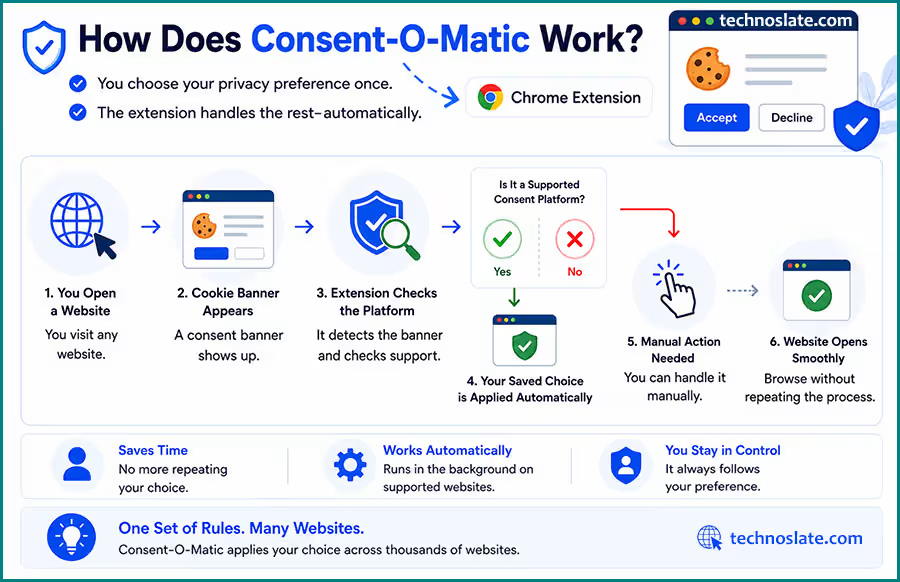
One interesting fact that many people don’t know is that the extension doesn’t need to learn every website individually. Thousands of websites rely on the same cookie consent platforms to display their banners. Consent-O-Matic recognizes these platforms rather than treating each website as a completely new case. This approach allows a single set of rules to work across many different websites. The entire process usually happens within a few moments:
- You open a website.
- The extension checks whether the cookie banner is from a supported consent platform.
- If it is supported, your saved preference is applied automatically.
- The website opens without requiring you to go through the same consent process again.
Although everything happens quickly, the extension doesn’t make random decisions on your behalf. It simply follows the privacy preference that you have already selected. If a website uses a custom or unsupported consent system, the extension may not be able to interact with that banner, and you’ll need to handle it manually.
This approach keeps the tool simple. Instead of trying to change how websites work, it focuses on removing a repetitive step from your browsing experience while leaving the final privacy choice in your hands.
How to Install Consent-O-Matic
Getting started with Consent-O-Matic takes only a few minutes. Once the initial setup is complete, the extension is ready to work on supported websites without requiring any additional configuration during normal browsing.
- Open your browser’s official extension store.
- Search for Consent-O-Matic. You can also get it from here.
- Click Add to Browser or Install.
- Accept the permissions requested by your browser.
- Open the extension after installation and choose the privacy preferences you want it to follow.
Key Benefits of Using Consent-O-Matic
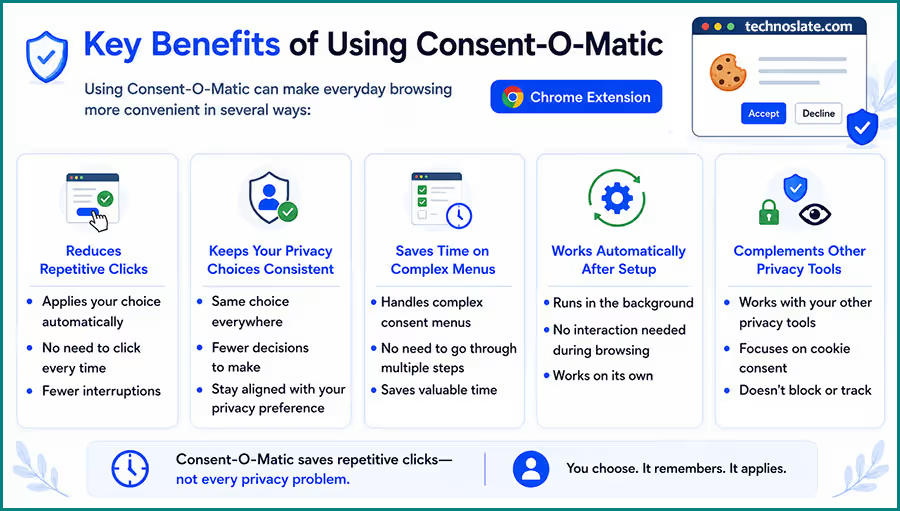
Using Consent-O-Matic can make everyday browsing more convenient in several ways:
- Reduces repetitive clicks by automatically applying your chosen cookie consent preferences on supported websites.
- Keeps your privacy choices consistent, so you’re less likely to make different decisions just because you’re in a hurry.
- Saves time on websites with complex consent menus, where changing privacy settings normally requires multiple steps.
- Works automatically after setup, so you don’t need to interact with the extension during normal browsing.
- Complements other privacy tools because it focuses on cookie consent management rather than ad blocking or online tracking.
5 Interesting Myth vs Reality About Consent-O-Matic
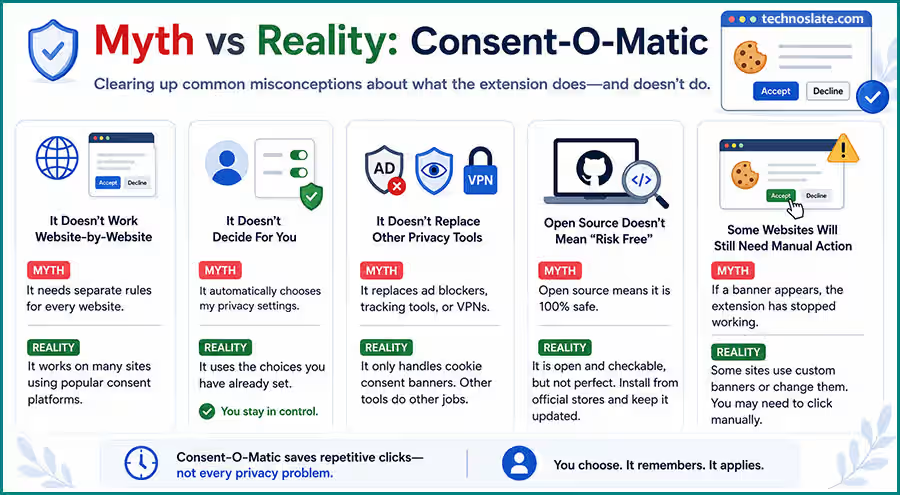
- It Doesn’t Work on Individual Websites
- Many people assume Consent-O-Matic needs separate instructions for every website. That’s not how it works. Most websites use one of several widely adopted consent platforms to display cookie banners. By recognizing these platforms, the extension can support many websites without treating each one as a separate project. This is one of the reasons it works across such a large number of sites.
- It Doesn’t Decide for You
- The extension doesn’t guess what you might prefer. It simply remembers the privacy choice you’ve already configured and applies it whenever it can. You remain in control of the decision; the extension only saves you from repeating it.
- It Doesn’t Replace Other Privacy Tools
- Consent-O-Matic has a very specific purpose. It focuses on cookie consent banners, not on blocking advertisements, preventing online tracking, or securing your internet connection. If you already use an ad blocker or another privacy tool, they can work alongside Consent-O-Matic because each serves a different role.
- Open Source Doesn’t Mean “Risk Free”
- Because the project is open source, anyone can inspect its code and suggest improvements. This increases transparency, but it doesn’t automatically guarantee perfect security or privacy. Like any browser extension, it’s still a good idea to install it only from official browser extension stores and keep it updated.
- Some Websites Will Still Need Manual Action
- No browser extension can support every consent banner on the internet. If a website uses a custom designed system or introduces changes that the extension doesn’t yet recognize, you’ll have to handle that banner yourself. This doesn’t mean the extension has stopped working, it simply means that particular website isn’t currently supported.
Limitations You Should Know About Consent-O-Matic
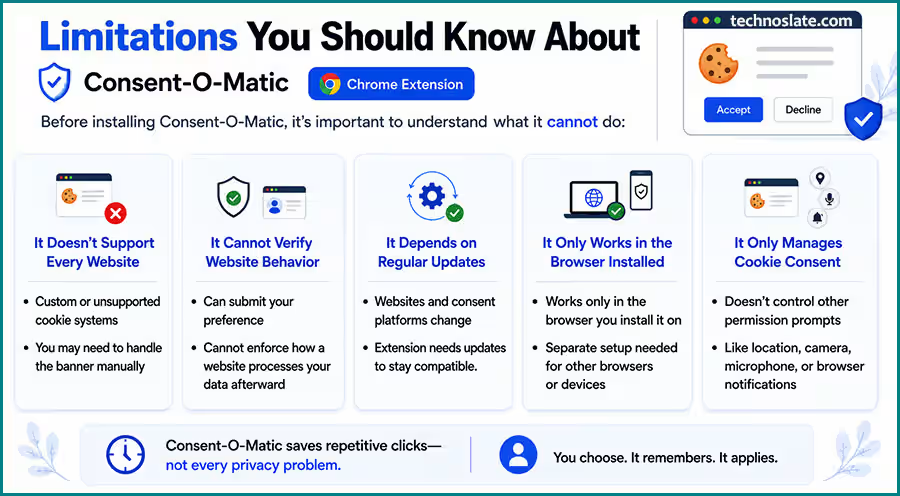
Before installing Consent-O-Matic, it’s important to understand what it cannot do:
- It doesn’t support every website. If a website uses a custom or unsupported cookie consent system, you’ll need to handle the consent banner manually.
- It cannot verify whether a website respects your choice. The extension can submit your selected preference, but it can’t enforce how a website processes your data afterward.
- It depends on regular updates. As websites and consent platforms evolve, the extension also needs updates to remain compatible with newer consent banners.
- It only works in the browser where it’s installed. If you use multiple browsers or devices, you’ll need to install and configure the extension separately on each one.
- It only manages cookie consent requests. It doesn’t control other permission prompts, such as requests for your location, camera, microphone, or browser notifications.
Do You Need Consent-O-Matic If You Already Use an Ad Blocker?
It’s easy to assume that an ad blocker and Consent-O-Matic do the same job because both are related to online privacy. In reality, they solve different problems. An ad blocker is mainly designed to remove advertisements and, in many cases, stop known tracking scripts from loading. Consent-O-Matic has a much narrower purpose. It helps you deal with cookie consent banners by applying the privacy preference you’ve already chosen. Here’s a simple comparison:
| Consent-O-Matic | Ad Blocker |
|---|---|
| Handles supported cookie consent banners automatically | Blocks advertisements on supported websites |
| Applies your saved consent preference | Prevents many ads and trackers from loading |
| Doesn’t replace an ad blocker | Doesn’t automate cookie consent decisions |
Because their roles are different, many users choose to run both extensions together. An ad blocker can make websites cleaner and reduce unwanted tracking, while Consent-O-Matic removes the repetitive task of responding to cookie banners. Instead of replacing one another, they complement each other.
If your only goal is to stop seeing advertisements, Consent-O-Matic won’t be enough. On the other hand, if cookie consent popups are what interrupt your browsing the most, this extension addresses a problem that ad blockers usually don’t solve.
Should You Use Consent-O-Matic?
Whether Consent-O-Matic is worth installing depends on how you use the web. If you regularly visit different websites throughout the day, such as news portals, blogs, shopping sites, comparison websites, or online forums, you’ll probably notice the biggest difference. Repeated cookie consent requests can interrupt your browsing more often than you realize, and automating that process can make the experience feel much smoother.
It’s also a practical choice for people who prefer using the same privacy settings consistently. Instead of making a quick decision every time a new website appears, you can rely on the preference you’ve already chosen. However, the extension may not be essential for everyone. If you mostly visit a handful of familiar websites and rarely encounter new cookie banners, the amount of time it saves will likely be small.
The key is to have realistic expectations. Consent-O-Matic won’t replace your ad blocker, improve website security, or completely change your online privacy. Its purpose is much simpler: reducing the repetitive task of handling supported cookie consent banners. If that’s something you find annoying during everyday browsing, it’s a tool that’s worth trying.
Frequently Asked Questions
- Do I need to create an account to use Consent-O-Matic?
- No. Consent-O-Matic works as a browser extension and doesn’t require you to create an account before using it. Once it’s installed, you can configure your preferences directly within the extension.
- Does Consent-O-Matic work in Private or Incognito mode?
- It can, but only if your browser allows extensions to run in Private or Incognito mode. Most browsers keep extensions disabled in these modes by default, so you’ll need to enable the permission manually if you want to use it there.
- Will Consent-O-Matic work on every website I visit?
- No. It works on websites that use supported cookie consent platforms. If a website uses a unique or unsupported consent system, you’ll need to handle that banner yourself.
- Can I use Consent-O-Matic together with other browser extensions?
- Yes. It can usually run alongside extensions such as ad blockers, password managers, and other productivity tools because each serves a different purpose.
- Does the extension require regular updates?
- Yes. Websites and cookie consent systems change over time, so periodic updates help the extension stay compatible with newer consent banners. Keeping it updated ensures you get the latest improvements and website support.
- Who is Consent-O-Matic best suited for?
- It’s most useful for people who frequently visit new websites and are tired of repeatedly interacting with cookie consent banners. If you mostly browse the same few websites every day, you may notice less benefit from using it.
Conclusion
Consent-O-Matic isn’t the kind of browser extension that tries to do everything, and that’s exactly what makes it useful. It focuses on a single everyday annoyance, cookie consent banners, and simplifies it without taking control away from you. If you frequently explore new websites, the extension can make your browsing experience feel smoother by removing one repetitive task from your routine. At the same time, it’s important to understand what it can and cannot do so you can decide whether it fits your browsing habits.
In the end, the best privacy tools are the ones that solve a real problem without making the web more complicated. Consent-O-Matic follows that approach, making it a practical option for anyone who wants a cleaner and less interrupted browsing experience.
We hope you found this guide informative and worthwhile. If it added value to you, consider sharing it with your friends, family, or colleagues. For any questions, suggestions, or feedback, drop a comment below – we’re always happy to help. Browse our blog to discover more articles designed to keep you informed and inspired.
- MYNT Material You New Tab – Should You Install It in Chrome?
- Buyhatke – Save Thousands in Big Billion Days
- OneTab Chrome Extension : 5 Surprising Benefits Every Chrome User Should Know
- Unhook Chrome Extension: 7 Powerful Features That Make YouTube Less Distracting
- SponsorBlock Chrome Extension: 7 Smart Reasons Millions of Users Love It
Pingback: SponsorBlock Chrome Extension: Is it Useful in Youtube 2026?